
Custom domains
Your page, on your own domain
Business plans will be able to serve a page from an address like links.yourbrand.com, with HTTPS handled for you.
Availability
Custom domains are being finalised. Domain ownership verification is built; automatic certificate provisioning will be switched on once it has been fully tested on our hosting platform. Until then, your linnksbio.com address works as normal.
How it works
- 01
Add your domain
Enter a subdomain you control in Settings → Domains.
- 02
Create two DNS records
A TXT record proves ownership; a CNAME points traffic to LinnksBio.
- 03
Verify
We check DNS and enable HTTPS automatically once available.
The details
- Proof of ownership
- Domains are verified with a unique DNS TXT record before anything is served, which prevents takeovers.
- One canonical address
- When your domain is active, search engines are pointed at it as the main address for your page.
- Re-verification
- If DNS changes, the domain is re-checked before it's served again.
- Status you can see
- Pending, verified, provisioning, active or error — always shown in settings.
Example
A consultant's branded link
links.arjunmehta.example in their email signature and slides.
View the demo page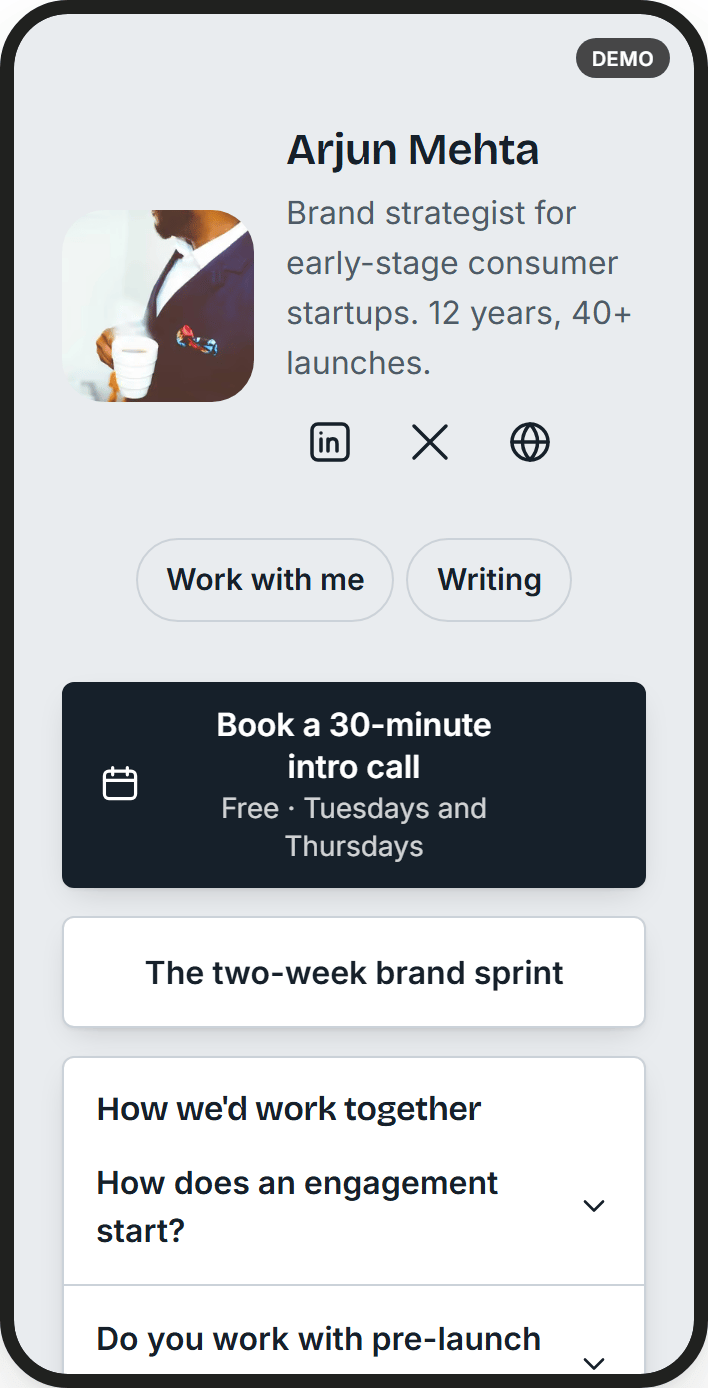
Questions
Is this available now?
Not yet. Verification is ready; HTTPS provisioning is being tested. We'll enable it for Business plans when it's reliable.
Can I use a root domain?
We recommend a subdomain such as links.yourbrand.com, which works with every DNS provider.