
Blocks
Fifteen blocks that each do one job well
Go beyond a stack of buttons. Show your work, play your music, answer questions and hand over files — all on one page that stays fast on a phone.
Demo


How it works
- 01
Paste a link
Drop any URL into the block picker. YouTube becomes a video, Spotify a player, everything else a button.
- 02
Arrange
Drag blocks into order, or use the keyboard: pick up with Space, move with the arrow keys.
- 03
Hide, schedule, restore
Hide seasonal blocks, schedule launches, and restore anything you deleted for 30 days.
The details
- Links that look intentional
- Button, compact and featured layouts with emoji, icon or image thumbnails. Highlight one or two key links with your accent colour.
- Media without the weight
- Video and audio players load only when tapped, so a page with five embeds is as quick as a page with none.
- Folders for long lists
- Group tour dates, products or archives under one expandable row. Every link inside is still counted.
- Downloads and contact cards
- Share a PDF menu or press kit with its size shown upfront, or let visitors save your details as a contact.
- Scheduling
- On Creator Pro and Business, show a block only between two times. Our server's clock decides, never the visitor's phone.
- Works without scripts
- Folders, FAQs and tabs are built on native HTML, so they work even when a browser blocks JavaScript.
Example
A café that keeps regulars coming back
Today's menu as a download, ordering and directions as buttons, and a contact card that saves straight to a phone.
View the demo page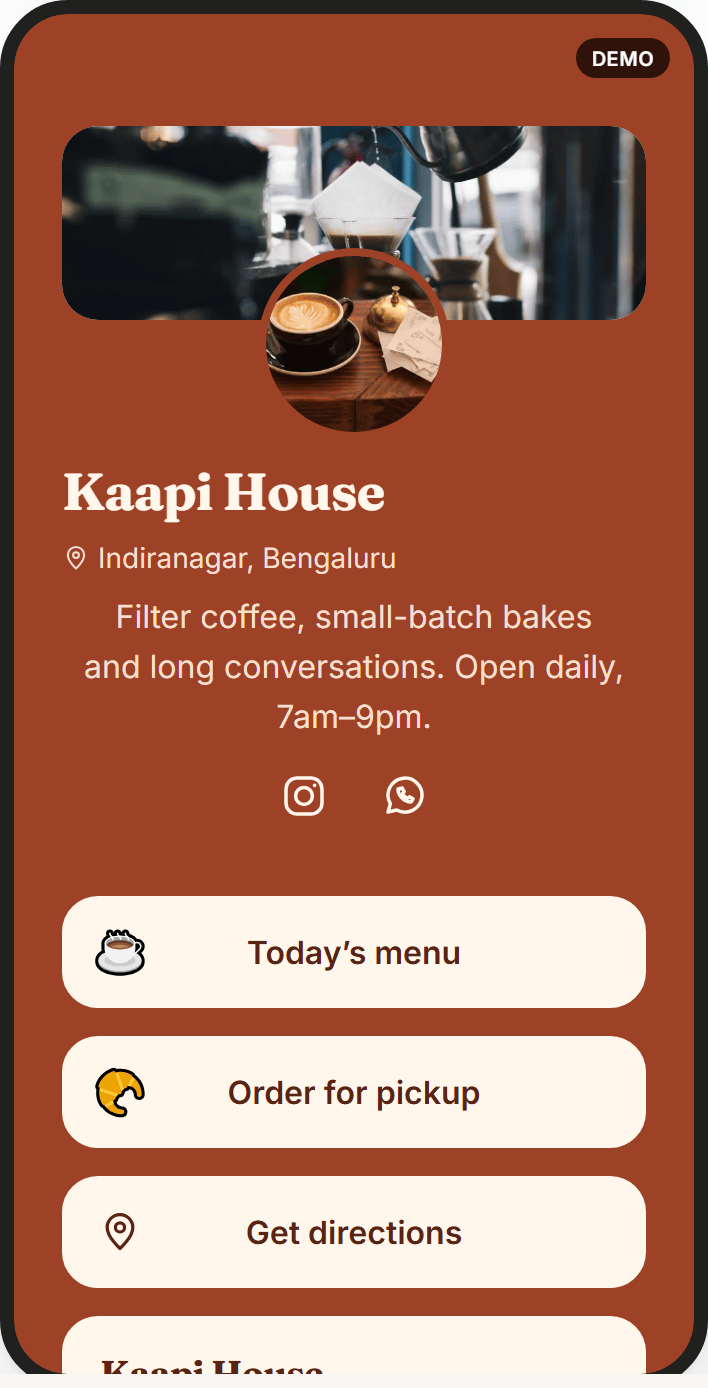
Questions
How many blocks can I add?
The Free plan includes up to 100 blocks per page — far more than most pages need. Paid plans raise the limit.
Which video and music services are supported?
YouTube (including Shorts), Vimeo, Spotify, SoundCloud and Apple Podcasts. Other links become regular buttons.
Can I schedule a link for a launch?
Yes, on Creator Pro and Business. Set a start and end time and the block appears and disappears automatically.